

MCP — Model Context Protocol — is an open standard that lets AI models call external tools through a universal interface. It’s how AI assistants check calendars, write to journals, and manage event automation — all without being locked into any single AI provider.
n8n has four distinct ways to work with MCP. If you’ve been confused about what they are and when to use each one, you’re not alone. The naming doesn’t help. Let’s break it down.
Why MCP Feels Different
If you’ve used n8n before, you’re used to integrations coming in pairs — a trigger and a node. Gmail Trigger and Gmail Node. Slack Trigger and Slack Node. One to receive, one to send.
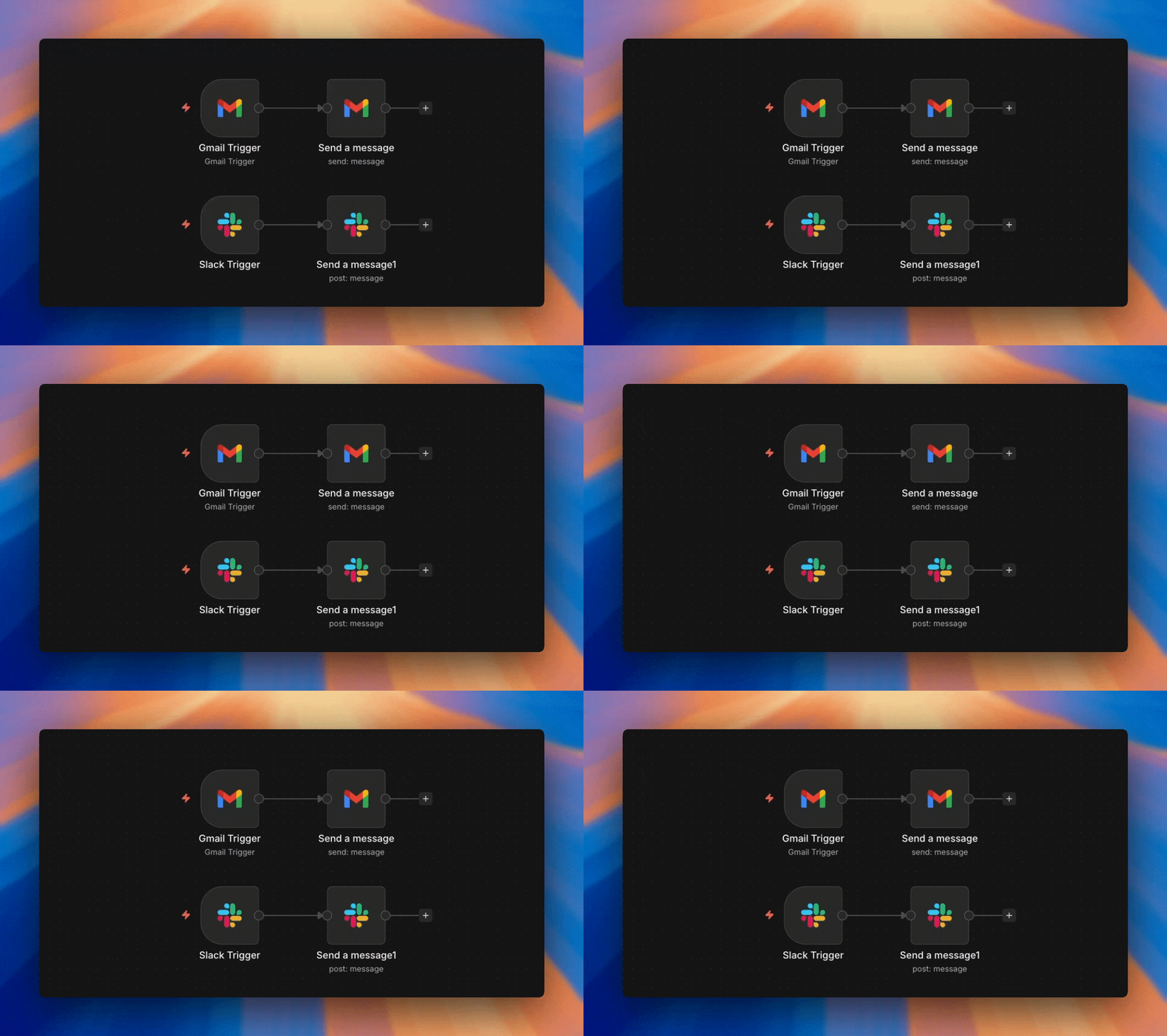
MCP breaks that pattern — but not in the way you might think. n8n actually has the complete set: a trigger, a node, a tool, AND an instance-level access layer. That’s four pieces, not two. The confusion exists because people don’t realize all four exist and each serves a different purpose.

Same integration, three shapes, and four implementations. This is because each implementation lives in fundamentally different contexts — one starts workflows, the other attaches to AI agents, one automates, and one gives access to the instance itself.
This last implementation is sitting above the rest: MCP Access, an instance-level feature where your entire n8n deployment acts as a single MCP server and your workflows act as tools (with proper approval).
MCP is Just an Opinionated Webhook
If you hear “MCP” and your brain shuts down, try this instead: it’s an opinionated webhook. Same concept you already know, but the webhook tells the AI what it can do instead of you having to explain it.
I know this because I built non-MCP versions of my tools first. Before MCP was an option, I used regular webhooks to give my AI access to calendars, notes, and workflows. It worked — but the process was painful. Let me show you why.
Before: Webhooks
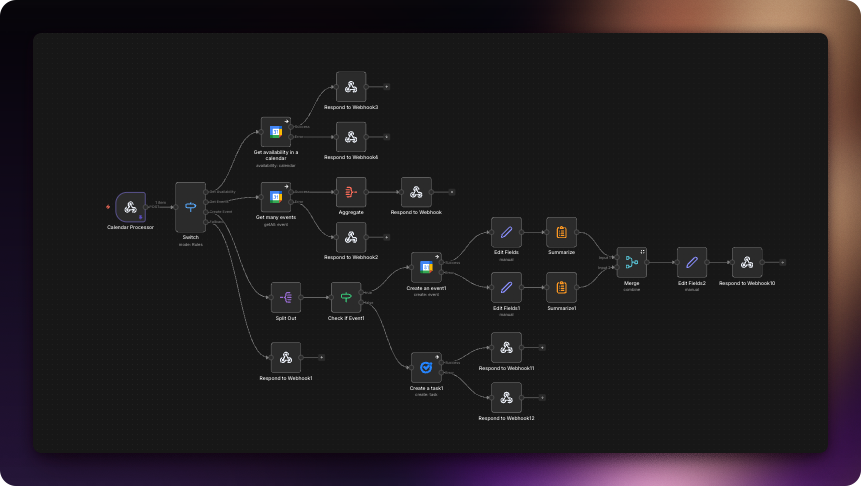
Complex but fast. You spin up a workflow, add a webhook, then give the AI the webhook URL, custom credentials, and a map (schema) of how to use it:
- Build the webhook endpoint
- Write documentation explaining the schema — what parameters it accepts, what it returns, what it does
- Paste that documentation into the AI’s context so it knows how to use the webhook
- Hope the AI reads the docs correctly
- Update the docs AND the AI’s instructions every time something changes
Manual, fragile, and every change meant updating two places.
To illustrate how bad this got, here’s an example of the documentation I maintained for ChatGPT to use a single webhook:

After: MCP
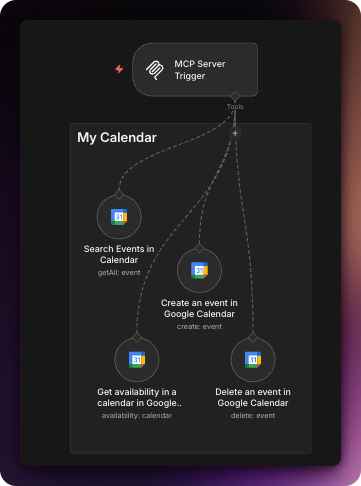
Much simpler. Instead of 23 nodes, I was able to do the same thing in 5 nodes, and it’s far easier to maintain:
- Build the MCP trigger with tool descriptions
- AI discovers available tools automatically
- Tool names, descriptions, and parameter schemas are part of the protocol
- Changes are instant — update the tool, the AI sees it immediately
- No external documentation needed
Self-describing, automatic, and one source of truth.
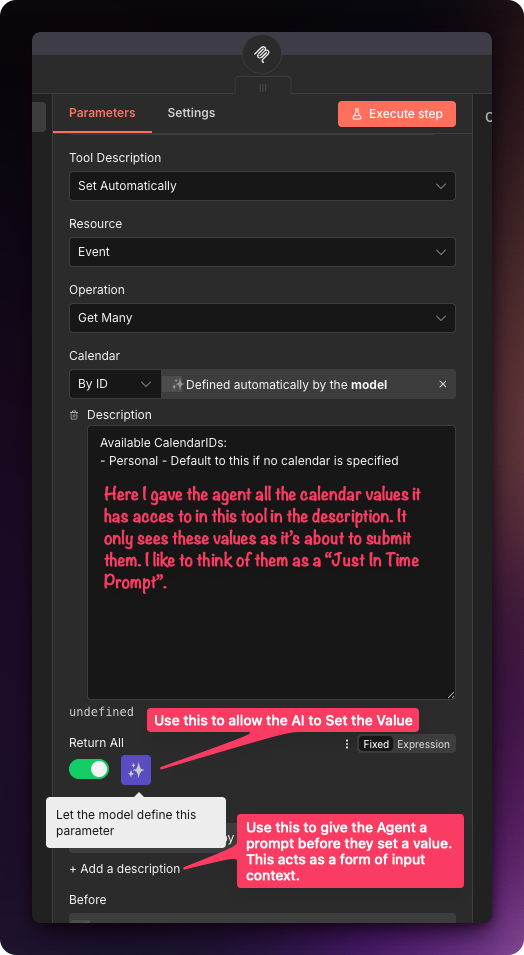
Open any MCP tool and you’ll see why — the description and schema are built right in:

The ADHD Agent Analogy
Functionally, both workflows do the same thing: give an external AI agent selective access to your tools — without relying on a connector locked to one specific agent.
But in my tests, the webhook route usually finishes in about ~1 second, while MCP can take 2-5 seconds. Why? I picture it like this:
The agent has ADHD. He loves to read and is good at his job but can get distracted.
A webhook is a dark tunnel, so the agent runs straight through.
MCP is a bright tunnel covered in labels and descriptions, so the agent slows down to read everything on the way out.
The real difference is management, migration… and security.
With MCP, the tool is the documentation: the agent connects, asks “what can you do?”, and the server returns a full tool list with descriptions and parameter schemas. No stale docs. No copy/paste.
But that self-description is also why you must secure MCP trigger endpoints. An exposed MCP server doesn’t just “exist” — it advertises every handle and knob it supports. If a webhook leaks, you might leak one doorway. If MCP leaks, you leak the map of the whole control panel.
Access, Trigger, Node, or Tool — Which Should You Use?
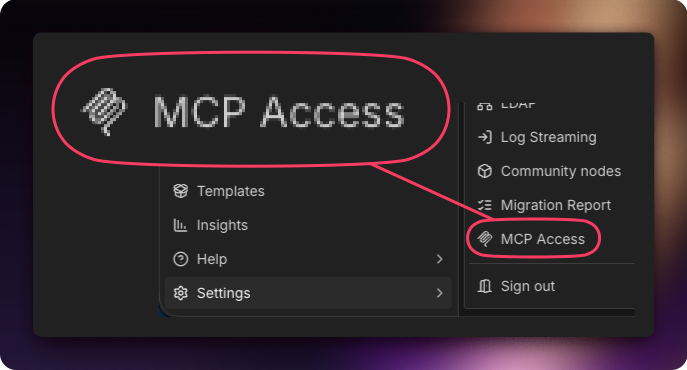
Use MCP Access when…
- You want one connection for everything
- Your AI client requires OAuth (like ChatGPT)
- You want to expose existing workflows or upload new ones
- You’re managing multiple AI clients centrally

Use the Server Trigger when…
- You want granular control over exposed tools
- Your use case only requires header or bearer auth
- You’re building a dedicated endpoint for one AI client
- You want to process requests with custom workflow logic

Use the MCP Node when…
- You need to call MCP tools without AI involvement
- You want deterministic, repeatable MCP calls
- You’re integrating MCP into traditional automation workflows

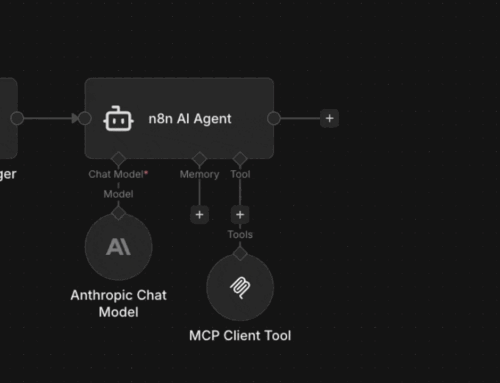
Use the Client Tool when…
- You want to give an AI (internal or external to n8n) access to an MCP server
Each of these four capabilities makes n8n more powerful in a different way. MCP Access gives you breadth, the Server Trigger gives you control, the Node gives you precision, and the Client Tool gives you reach — all powered by n8n.
The AI Dependency Trap
The personal story behind why we built our AI setup to be portable — and what happened when we switched from ChatGPT to Claude overnight.
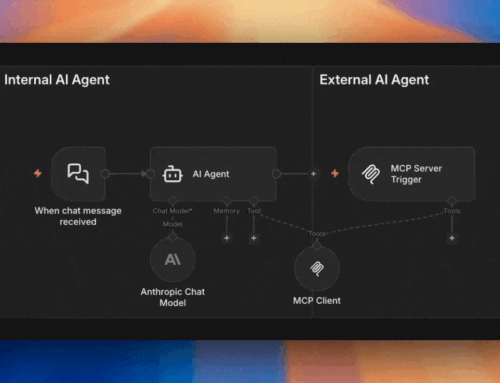
Internal vs External AI Agents
Not a term n8n uses — but a distinction you need to understand. Learn when your AI is calling into n8n vs running inside it.